> ## Documentation Index
> Fetch the complete documentation index at: https://docs.cerulion.com/llms.txt
> Use this file to discover all available pages before exploring further.
# Core concepts
> The mental model behind Cerulion: workspaces, nodes, graphs, topics, and schemas, and how they fit together.
This page builds the mental model you need to work with Cerulion. It explains the
five things you will name and reason about every day (**workspace**, **node**,
**graph**, **topic**, and **schema**) and how the runtime turns them into a
running robotics application.
Read this once before the [guides](/cerulion/guides/define-a-node), then keep the
[reference](/cerulion/reference/cli) open while you build. For why Cerulion is
shaped this way, see [Why Cerulion](/cerulion/why-cerulion).
## The five nouns
The project container: a Cargo workspace with `graphs/`, `nodes/`, and
`schemas/` directories.
A unit of computation: a Rust struct annotated with `#[cerulion_node]`,
compiled to a dynamic library.
A `.yaml` file that wires node *instances* together. Topology only.
A named shared-memory channel, created automatically from your graph wiring.
The shape of a message: a ROS 2 message type or a workspace-defined schema.
At a glance, here is how the nouns nest and connect: a workspace holds your node
types, schemas, and graphs; a graph wires node instances into a dataflow that
produces topics.
```mermaid theme={null}
flowchart TB
Workspace[Workspace] --> NodeTypes[Node types]
Workspace --> Schemas[Schemas]
Workspace --> Graph[Graph]
NodeTypes -. instances of .-> Graph
Graph --> A([camera])
Graph --> B([detector])
A -- camera/image --> B
```
*Figure: A workspace contains node types, schemas, and graphs. A graph wires node instances (rounded) into a dataflow whose connections become topics.*
## Workspace
A **workspace** is the project container for everything you build. It is a Cargo
workspace plus three Cerulion directories. You create one with
`cerulion workspace create ` (or `cerulion workspace init` in place), and
most commands work by discovering the workspace around your current directory.
The top-level `Cargo.toml` declares a `[workspace]` with `members = ["nodes/*"]`,
so every node is its own crate built by the same `cargo` invocation. Each
directory has one job:
* `graphs/`: one `.yaml` per graph (the wiring).
* `nodes/`: one crate per node *type* (the code).
* `schemas/`: one `.yaml` per workspace-defined message shape.
Cerulion discovers a workspace by walking upward for a `Cargo.toml` that
contains `[workspace]` alongside a `graphs/` directory. Most `node` and `graph`
commands need this; `workspace create`/`init` and the `topic` commands do not.
## Node
A **node** is a unit of computation: it reads inputs, does work each time it
fires, and writes outputs. You define one as a Rust struct annotated with
`#[cerulion_node]`, paired with an adjacent `impl` block whose `tick()` method
is annotated with `#[cerulion_node_impl]`.
```rust theme={null}
use cerulion_core::prelude::*;
use native_ros2_messages::sensor_msgs::LaserScan;
use native_ros2_messages::geometry_msgs::Vector3;
#[cerulion_node(period_ms = 10)]
#[derive(Default)]
struct SafetyController {
#[input(lifo, depth = 1)]
scan: LaserScan,
#[output]
linear_velocity: Vector3,
}
#[cerulion_node_impl]
impl SafetyController {
fn tick(&mut self) -> Result<(), NodeError> {
let obstacle_close = self.scan.ranges().iter().any(|&r| r < 0.5);
self.linear_velocity.x = if obstacle_close { 0.0 } else { 0.3 };
Ok(())
}
}
```
The struct fields *are* the ports: `#[input(...)]` fields are subscriptions,
`#[output]` fields are publications. Inside `tick()`, reading and writing those
fields reads and writes shared memory directly; there is no separate publish or
subscribe call to make. Every node is imported from `cerulion_core::prelude` and
compiled to a dynamic library (`cdylib`) so the runtime can load it at run time.
For the full attribute set, see the [node macro reference](/cerulion/reference/node-macro).
### Node type vs. node instance
This distinction is the heart of Cerulion's model.
* A **node type** is the code: the crate under `nodes//`, defined once by
the `#[cerulion_node]` macro. The type declares its ports and its behavior.
* A **node instance** is a use of that type inside a graph: an entry with a
unique `id` under `nodes:` in a graph `.yaml`. You can stage the same type
into a graph more than once, each with its own `id` and its own wiring.
Think of the type as a class and the instance as an object of that class. The
type says *what a camera node does*; an instance says *this particular camera,
wired to these inputs and outputs*.
### Trigger policy lives on the type, not the graph
A node's **trigger policy** decides *when* it fires: every N milliseconds, when
data arrives on a trigger input, when several trigger inputs line up in a time
window, or on an external command. This policy is part of the node *type*. You
set it with the `#[cerulion_node(...)]` macro attributes in `src/lib.rs` (and, at
scaffold time, with the `--policy` flag on `cerulion node create`).
Trigger policy is **never** written in graph YAML. Graph files describe wiring
only: `id`, `type`, `inputs`, and `outputs`. There is no `policy:` block in a
graph file. To change when a node fires, change its macro attributes (or use
`cerulion node modify`), not the graph.
This is deliberate: behavior lives in one place (the code), and the graph stays a
pure description of how instances connect. See
[trigger policies](/cerulion/reference/trigger-policies) for the full grammar and
the defaulting rules.
## Graph
A **graph** is a `.yaml` file under `graphs/` that wires node instances together.
It is the source of truth for topology: which instances exist, and how each
instance's inputs connect to other instances' outputs.
```yaml theme={null}
name: perception
prefix: robot1
nodes:
- id: camera
type: camera
outputs:
- name: image
schema: sensor_msgs/Image
- id: detector
type: detector
inputs:
- name: image
source: camera/image
outputs:
- name: detections
schema: geometry_msgs/PoseArray
```
Each entry under `nodes:` is an instance: `id` is its unique name, `type` is the
node-type folder it comes from, and `inputs`/`outputs` declare its ports. An
input's `source` is written `/`. Here, `detector`'s
`image` input reads `camera`'s `image` output. The optional `prefix` namespaces
the topics this graph creates; if you omit it, Cerulion resolves it to the host
name at load time.
You run a graph with `cerulion graph run `, which loads each instance's
compiled library, wires the topics, and drives execution. See
[wire and run a graph](/cerulion/guides/wire-and-run-a-graph) for the workflow.
## Topic
A **topic** is a named channel that carries messages from a publisher to its
subscribers over shared memory. You do not create topics by hand; Cerulion
derives them from your graph wiring. When `detector`'s `image` input reads
`camera/image`, the runtime sets up the underlying shared-memory channel for you.
Topics are how you observe a running system from the outside. Because discovery
happens through the shared-memory transport, the `topic` commands work without a
workspace:
* `cerulion topic list`: show active topics.
* `cerulion topic echo `: print messages as they arrive.
* `cerulion topic hz `: measure the publish rate.
See [inspect topics](/cerulion/guides/inspect-topics) for the full set.
 ## Schema
A **schema** is the shape of a message: its fields and their types. A schema
gives a topic a known layout so publishers and subscribers agree on what the
bytes mean. Cerulion gives you two sources of schemas:
* **ROS 2 message types** from the `native_ros2_messages` crate, for example
`sensor_msgs/Image` or `geometry_msgs/Vector3`. Import them with
`use native_ros2_messages::::;`. These cover the common robotics
message families out of the box.
* **Workspace schemas** you define yourself under `schemas/.yaml`, created
with `cerulion schema create `, for message shapes specific to your
project.
Schemas have both **fixed** fields (primitives written directly) and **variable**
fields (strings and arrays). The distinction matters when you write outputs in a
node; see [messages and schemas](/cerulion/guides/messages-and-schemas).
## How it runs
Putting the nouns together: you write **node types**, wire **instances** of them
in a **graph**, and run the graph. The graph determines the topology; each node's
**trigger policy** determines when it fires; the runtime moves messages between
instances over **topics** carrying typed **schemas**.
Two properties of that runtime are worth understanding as benefits, even though
you never configure them directly.
### Zero-copy
## Schema
A **schema** is the shape of a message: its fields and their types. A schema
gives a topic a known layout so publishers and subscribers agree on what the
bytes mean. Cerulion gives you two sources of schemas:
* **ROS 2 message types** from the `native_ros2_messages` crate, for example
`sensor_msgs/Image` or `geometry_msgs/Vector3`. Import them with
`use native_ros2_messages::::;`. These cover the common robotics
message families out of the box.
* **Workspace schemas** you define yourself under `schemas/.yaml`, created
with `cerulion schema create `, for message shapes specific to your
project.
Schemas have both **fixed** fields (primitives written directly) and **variable**
fields (strings and arrays). The distinction matters when you write outputs in a
node; see [messages and schemas](/cerulion/guides/messages-and-schemas).
## How it runs
Putting the nouns together: you write **node types**, wire **instances** of them
in a **graph**, and run the graph. The graph determines the topology; each node's
**trigger policy** determines when it fires; the runtime moves messages between
instances over **topics** carrying typed **schemas**.
Two properties of that runtime are worth understanding as benefits, even though
you never configure them directly.
### Zero-copy
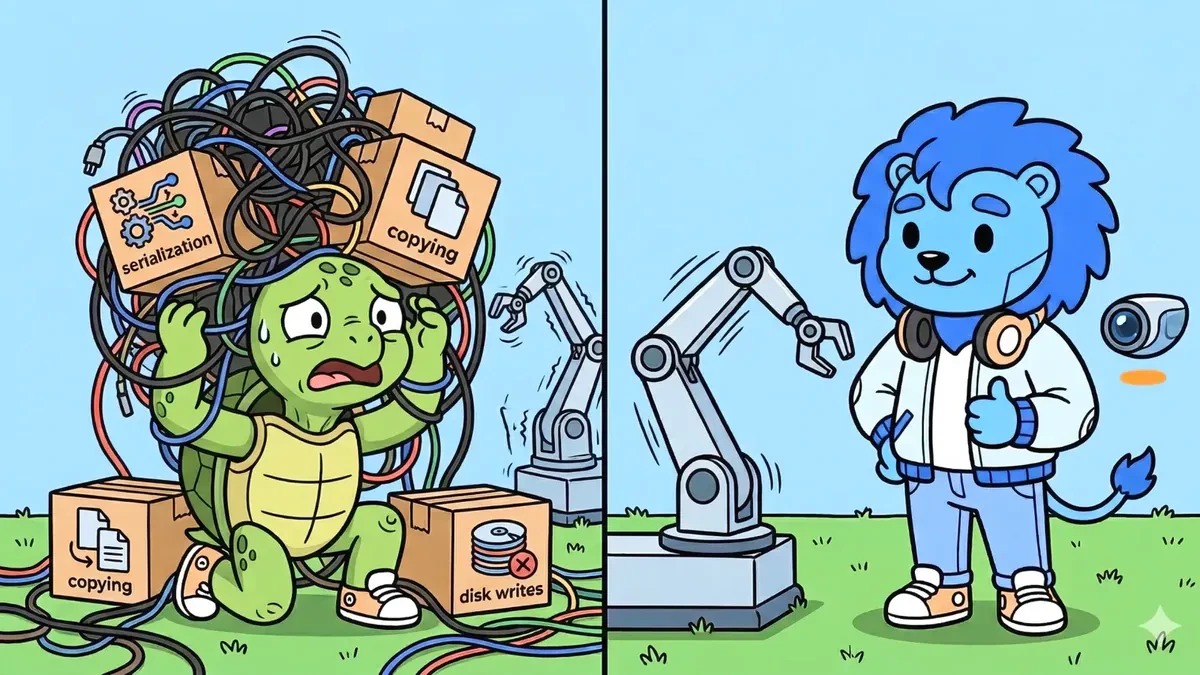 When a node writes an output, it writes once into a shared-memory slot, and
subscribers read it in place; the message is not copied on its way across.
The practical benefit is **flat latency**: moving a 16 MB camera frame between
two nodes costs about the same as moving a 64-byte command, so large sensor data
moves at near-hardware speed without you tuning anything. The numbers behind this
are in [Why Cerulion](/cerulion/why-cerulion).
### Determinism
When a node writes an output, it writes once into a shared-memory slot, and
subscribers read it in place; the message is not copied on its way across.
The practical benefit is **flat latency**: moving a 16 MB camera frame between
two nodes costs about the same as moving a 64-byte command, so large sensor data
moves at near-hardware speed without you tuning anything. The numbers behind this
are in [Why Cerulion](/cerulion/why-cerulion).
### Determinism
 Execution order is derived from the graph and driven by a simulated clock, so a
recorded run can be replayed and behaves the same way it did live. The practical
benefit is **reproducibility**: you can debug a timing issue once and reproduce it
exactly, which makes testing and CI for real-time systems far more reliable. More
on this in [Why Cerulion](/cerulion/why-cerulion).
## Next steps
How Cerulion compares to ROS 2 and the performance story behind zero-copy.
Create a node type, add ports, choose a trigger policy, and write `tick()`.
Stage instances, wire inputs, validate, and run.
Every command and flag, in one place.
Execution order is derived from the graph and driven by a simulated clock, so a
recorded run can be replayed and behaves the same way it did live. The practical
benefit is **reproducibility**: you can debug a timing issue once and reproduce it
exactly, which makes testing and CI for real-time systems far more reliable. More
on this in [Why Cerulion](/cerulion/why-cerulion).
## Next steps
How Cerulion compares to ROS 2 and the performance story behind zero-copy.
Create a node type, add ports, choose a trigger policy, and write `tick()`.
Stage instances, wire inputs, validate, and run.
Every command and flag, in one place.